Create Payment Order — FLEX (Hosted Payment Page) ⭐ Recommended
✅ FLEX is the recommended way to create deposit orders — one API call returns a hosted
payment_urlthat handles the entire customer flow. Please use FLEX for all new integrations and migrate existing ones.
Why FLEX?
- One API, every channel we have. FLEX automatically routes each order through all payment channels available on the platform and picks the best one for that order — so you always get the highest availability and success rate we can offer.
- Simple for your customer. The customer receives the transfer instruction as either a QR code or a bank account number — whichever channel the system selects.
- Hosted payment page handles everything. The customer completes the payment on our payment page only. The page guides the customer through the entire flow by itself: how-to instructions, making the transfer, and submitting the slip — including countdown timers, real-time status updates, and the redirect back to your site.
- Nothing to build on your side. You only call one API, get a
payment_url, and send the customer there. No QR rendering, no bank-account display screens, no slip-upload UI. - Customizable look. The payment page supports multiple themes to match your brand —
see the Payment-Page Themes section below (default theme:
halo).
⚠️ Important : the customer must make the payment through our payment page only. Do not extract the QR/account details and present them in your own UI — the page flow (instructions → transfer → slip submission) is part of how the order gets confirmed.
How it works
- Call
POST /payment-flex/create→ receivepayment_url. - Redirect (or open a new tab for) the customer to
payment_url. - The payment page guides the customer: shows instructions, the QR code or destination bank account, collects the slip if required, and shows live status.
- When the payment is confirmed, the payment gateway calls your
notify_url(see Payment Callback) and the page redirects the customer to yourredirect_url(if provided).
URL : /payment-flex/create
Method : POST
Request
{
   "merchant_id" : "[Merchant id]",
   "token" : "[Auth Token]",
   "time" : "[Time Stamp]",
   "merchant_order_id" : "[unique merchant order id]",
   "amount" : "[amount]",
   "bank" : "[bank]",
   "account_name" : "[account_name]",
   "account_no" : "[account_no]",
   "notify_url" : "[notify url]",
   "redirect_url" : "[redirect url] (optional)",
   "payment_theme" : "[theme name] (optional)"
}
| Parameter | Description | Example |
|---|---|---|
| merchant_order_id | Unique merchant reference. Allowed: 0-9 a-z A-Z, max length 40 | ORDER0123456789789445566 |
| amount | Amount, 2 decimals, no thousands separator | 1000.00 |
| bank | Customer bank code | KBANK |
| account_name | Customer account name | John Doe |
| account_no | Customer account number | 1234567890 |
| notify_url | Webhook URL called on payment status updates | https://merchant.com/callback/payment |
| redirect_url | (optional) URL to send the customer back to after a successful payment | https://merchant.com/return |
| payment_theme | (optional) Payment-page theme name — see the Payment-Page Themes section below. If omitted, resolves to the client → partner default → halo (default theme) | halo |
payment_theme resolution order: request value →
clients.default_payment_theme→partners.default_payment_theme→ default theme (halo). The resolved value is stored with the order at creation time.
Response
| Parameter | Description |
|---|---|
| platform_order_id | The gateway's unique order id |
| merchant_order_id | Merchant order id |
| payment_method | Method the system chose (TRANSFER or QR) |
| payment_url | Hosted payment page URL to open for the customer |
Success : 200 OK
{
    "success": 200,
    "data": {
        "platform_order_id": "THBP20260531...",
        "merchant_order_id": "ORDER0123456789789445566",
        "payment_method": "TRANSFER",
        "payment_url": "https://payment.example.com/THBP20260531.../<hash>"
    }
}
Error : 403 (auth) or 500 (other)
{ "error": { "code": 500, "message": "amount must be greater than 20" } }
Pending-order guard (
409) — only one open FLEX order is allowed per customer account at a time. A second create returns{"success":false,"code":409,"error":"you have a pending payment order...","data":{"pending_order_id":"THBP..."}}. Cancel that order with Cancel Payment (or let the customer cancel on the payment page), then retry the create.
Payment-Page Themes
The hosted payment page can be styled with the payment_theme parameter. If you do not
send one (and no default has been configured for your account), the page uses the
default theme halo.
Available themes:
| Theme | Preview |
|---|---|
Halo — halo (default) | 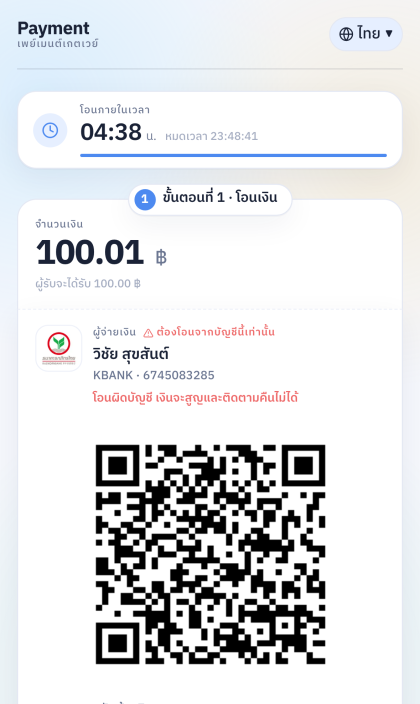 |
Pristine — pristine | 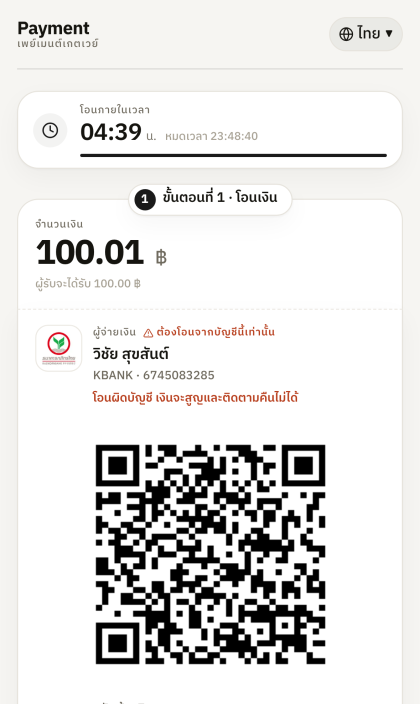 |
Blue — blue | 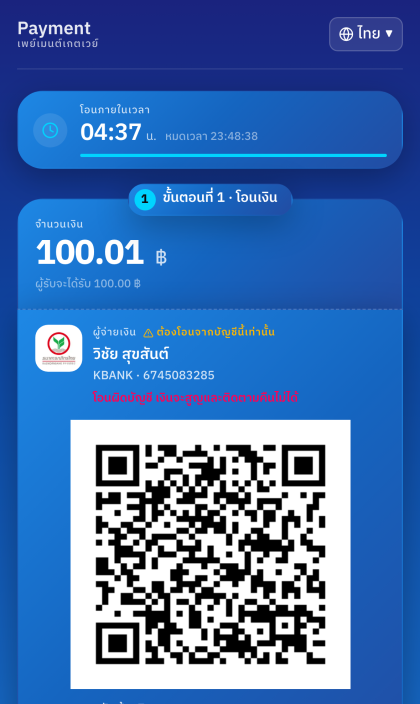 |
Vault — vault | 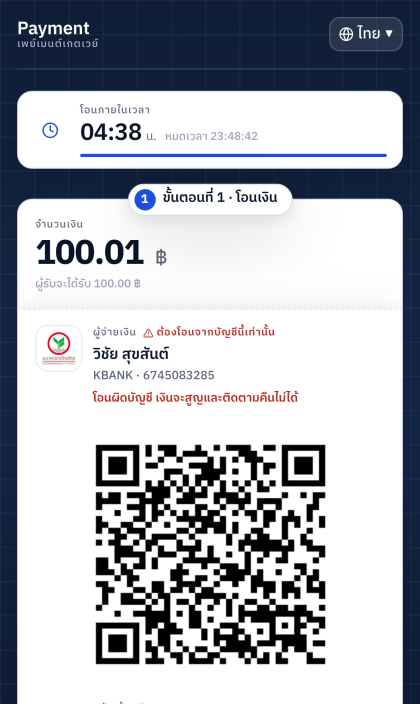 |
Sunset — sunset | 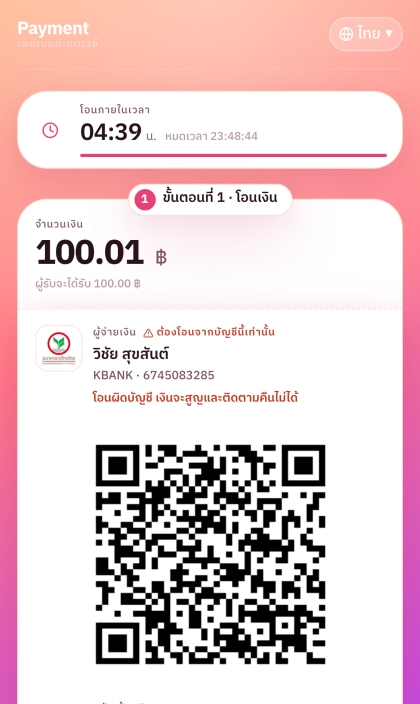 |
Obsidian — obsidian | 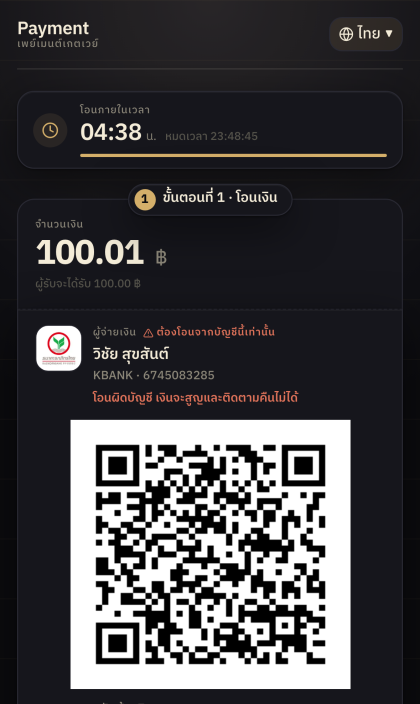 |
Stack — stack | 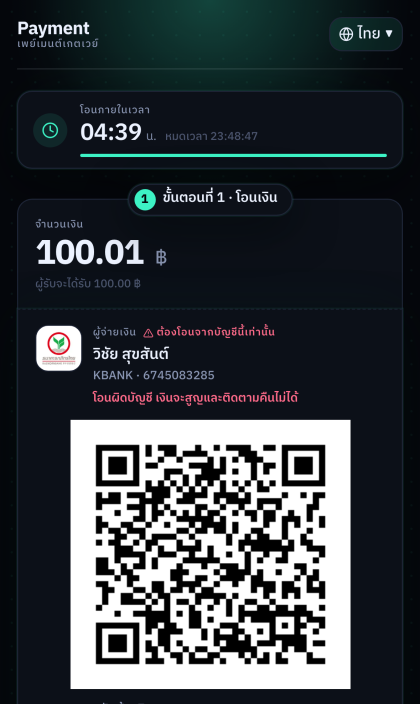 |
Sienna — sienna | 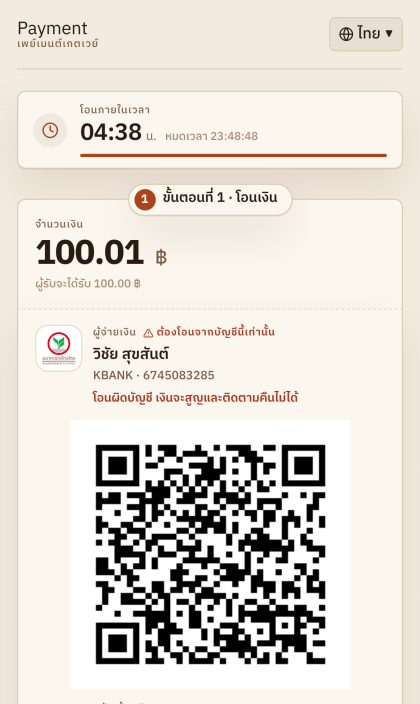 |
Mint — mint | 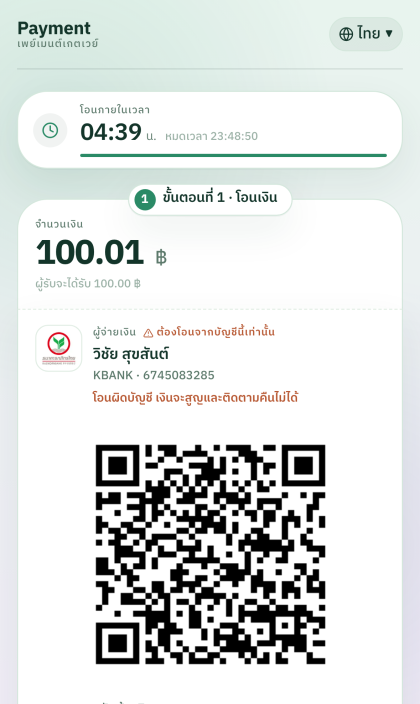 |
Pulse — pulse | 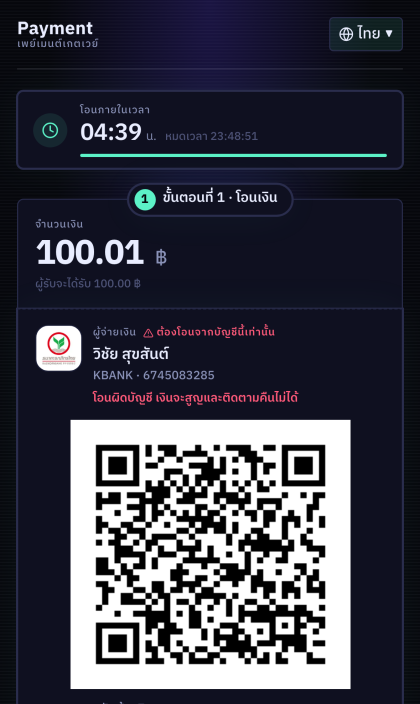 |
Sending
payment_theme: "default"also renders the Halo design. An unknown / invalidpayment_themevalue falls back to the default theme. A per-merchant default theme can also be configured for your account — contact support or set it via the client portal.
Bank Codes
| bank code | bank |
|---|---|
| KBANK | Kasikorn Bank |
| BBL | Bangkok Bank |
| KTB | Krungthai Bank |
| TTB | TMBThanachart Bank |
| SCB | Siam Commercial Bank |
| UOB | UOB |
| BAY | Krungsri Ayudthaya |
| CIMB | CIMB |
| LH | Land and House |
| GSB | Government Saving Bank |
| KK | Kiatnakin Pattara |
| CITI | CITIBANK |
| GHB | Government Housing Bank |
| BAAC | Bank for Agriculture and Agricultural Cooperatives |
| TISCO | TISCO |
| CLICX | CLICX Bank |